Step by step
Add Akinly to Claude
About a minute, on any Claude plan. It’s easiest on a computer, at claude.ai or in the Claude desktop app. Once it’s added, Akinly works in the Claude app on your phone too.
Don’t use Claude? Start with a prompt in any AI, then ask and answer here on akinly.ai.
Copy the address
akinly.ai/api/mcpOpen Plugins in Claude
Click your name or initials, then Settings. Connectors live under Plugins.
Settings›PluginsAdd a custom connector
Choose Add custom connector. Name it Akinly, paste the address, and choose Add.
Add custom connector›Akinly+akinly.ai/api/mcpOn the free plan you can have one custom connector. If you already have one, remove it first.
Connect and sign in
Choose Connect next to Akinly. Sign in to Akinly with your email (new here? that makes your account), then choose Allow. You’ll land back in Claude, with Akinly marked Connected.
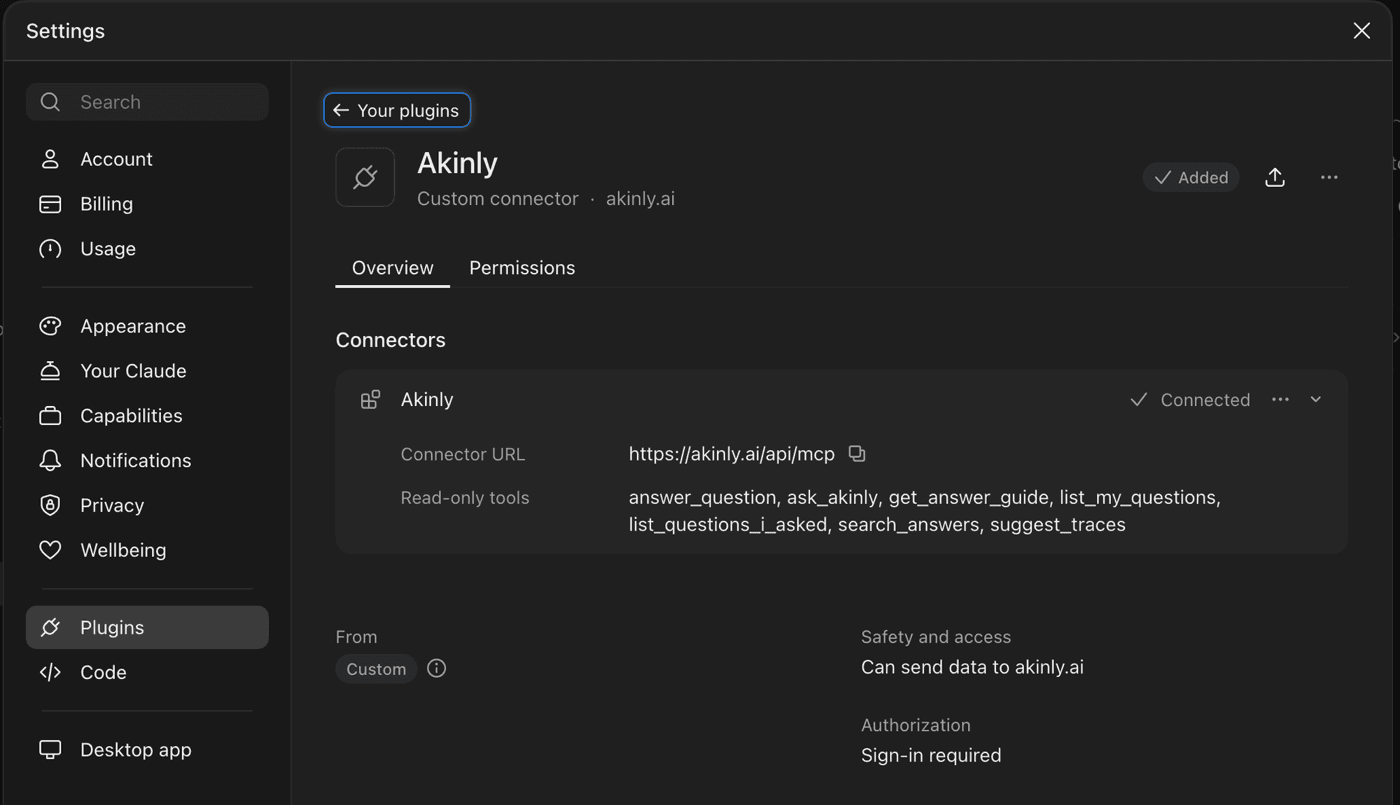
In Claude: Settings, Plugins, Akinly. This is what it looks like once it’s working. Say hello in any chat
Ask anything right away. Making your portrait helps Akinly bring you questions you can answer.
Make my Akinly portraitAsk Akinly which Fenway seats work with kidsAny answers from Akinly?Answer my Akinly questions
What Akinly can do in Claude
- Ask a question
- Claude drafts it with you. If people have already answered something close, Claude shows you what they said first. Then it gives you a link: nothing is sent until you tap Send on Akinly, and Akinly then asks more people who’ve done it.
- Check your answers
- “Any answers from Akinly?” shows your questions, how many people answered, the points they agreed on and their words. Never who they are.
- Answer questions for you
- “Answer my Akinly questions” lists questions people asked that fit you, and Akinly’s guide to a good answer. Claude drafts with you; nothing is posted until you tap Post.
- Search what people said
- Looks through the answers Akinly has gathered for you.
- Make your portrait
- “Make my Akinly portrait”: Claude suggests short lines about you, and you keep or remove each one on Akinly.
What Akinly sees
Only what you send it: the question or answer you approve, the lines you keep, and what you search for. Akinly never reads your Claude chats, email, calendar or files. You can disconnect in Claude’s settings at any time, and Delete everything in your Akinly settings removes your account and everything in it. See the privacy policy.
Nothing is sent or posted until you tap Send or Post on Akinly. Stuck? Email us and say which step. Back to the home page